Mobile commerce now accounts for 72% of eCommerce traffic. Yet most product pages are still designed desktop-first. Learn to build mobile product experiences that actually convert.
The difference between a mobile-optimised and unoptimised product page can be the difference between 2% and 6% conversion rate. These mockups show the critical differences.
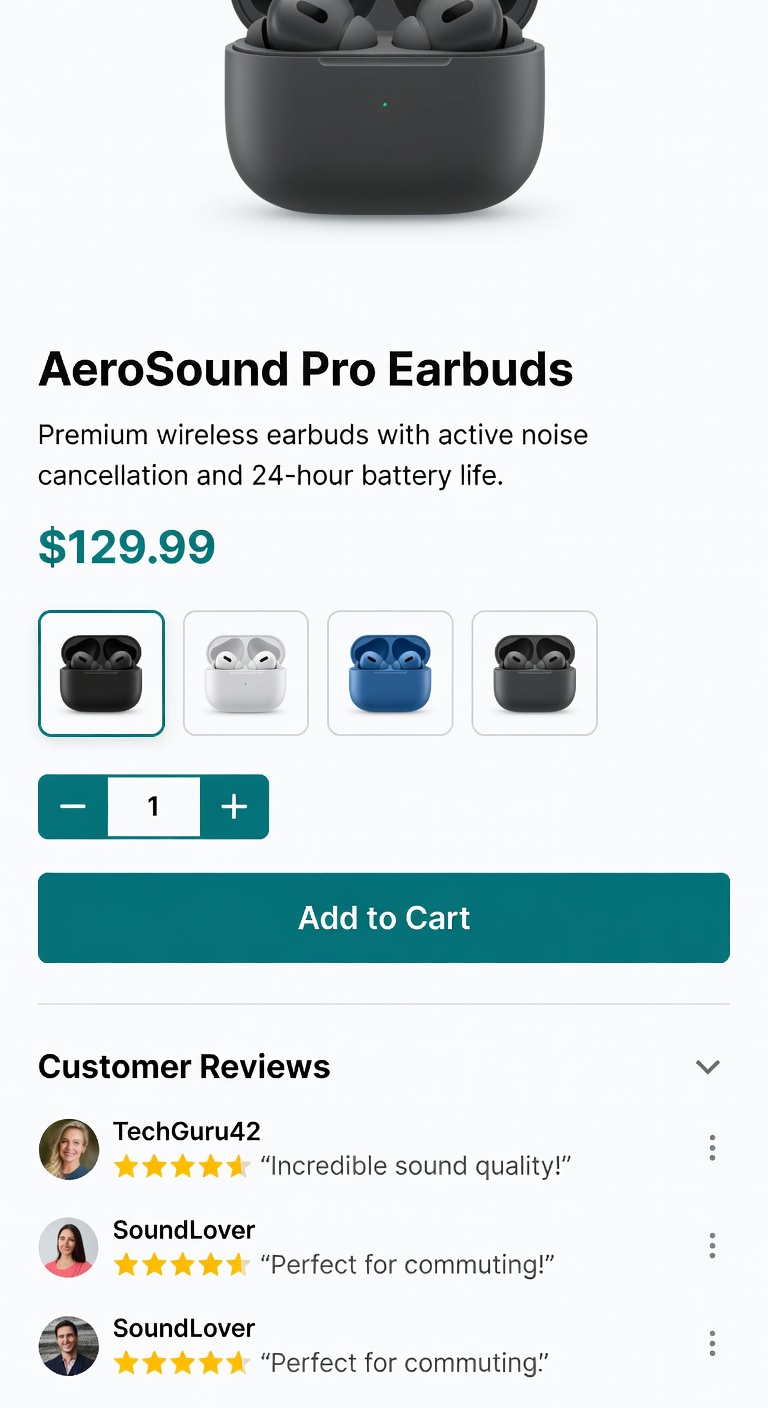
Each of these rules has been validated through A/B testing on mobile traffic. Missing even two or three can halve your mobile conversion rate.
Every interactive element โ buttons, selectors, accordion toggles โ must be at least 48ร48px. Google's Material Design standard. Smaller targets cause mis-taps and abandonment.
min: 48ร48pxA fixed-bottom bar containing price and "Add to Cart" must be visible at all times on mobile. Eliminates the need to scroll back to purchase. Typically adds +15โ25% mobile CVR.
position: fixed; bottom: 0On mobile, the product image should be full-width, at least 300px tall, and swipeable (carousel). Never clip or constrain the image in a small box.
width: 100%; min-height: 300px53% of mobile visitors abandon pages that take longer than 3 seconds to load. Use WebP images, lazy loading, and minimise third-party scripts. Test on 3G, not just WiFi.
target: < 2.5s LCPMobile screens are narrow. Keep the product title under 6 words, and show only the most essential 2โ3 bullet points above the CTA. Everything else goes below.
max: 6 words in titleCollapse description, specs, shipping, and FAQ into accordions on mobile. This keeps the page scannable and reduces the cognitive load of an overwhelming scroll experience.
collapsed by defaultEvery additional second of load time costs you conversion rate. Here's the industry data on speed vs. conversion across mobile product pages.
Explore our case studies to see how mobile product page redesigns delivered measurable conversion lifts.